 Last year I put together a custom set of Jazz Stamps for forScore, the popular iPad app used by musicians to display sheet music. I originally made the stamps for myself, as a trumpet player who often needs markings geared toward jazz phrasing, brass techniques, and other performance situations that weren’t well covered in the default set.
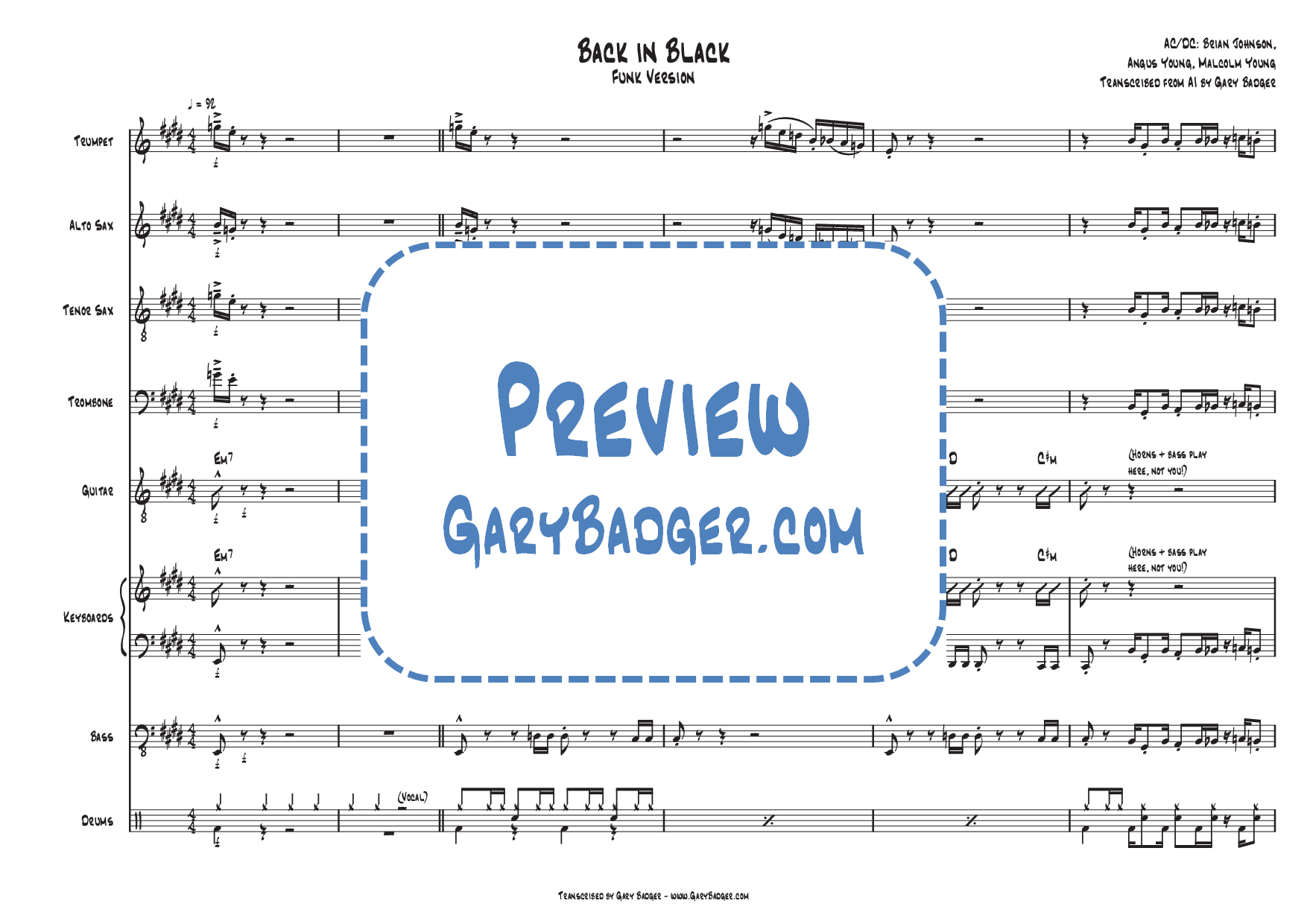
I chose Jazz Fonts for my stamps because they are easier on the eye and feel friendlier than traditional engraving. On a conventional typeset chart, they stand out more, which makes them noticeable and useful when reading at speed.
When I first shared the collection on my website and in the forScore Facebook Group, the response was surprisingly positive: hundreds of downloads, steady traffic from search engines, and helpful feedback from other musicians. Many of their suggestions turned into new stamps, and the collection has now grown to a massive 240+.
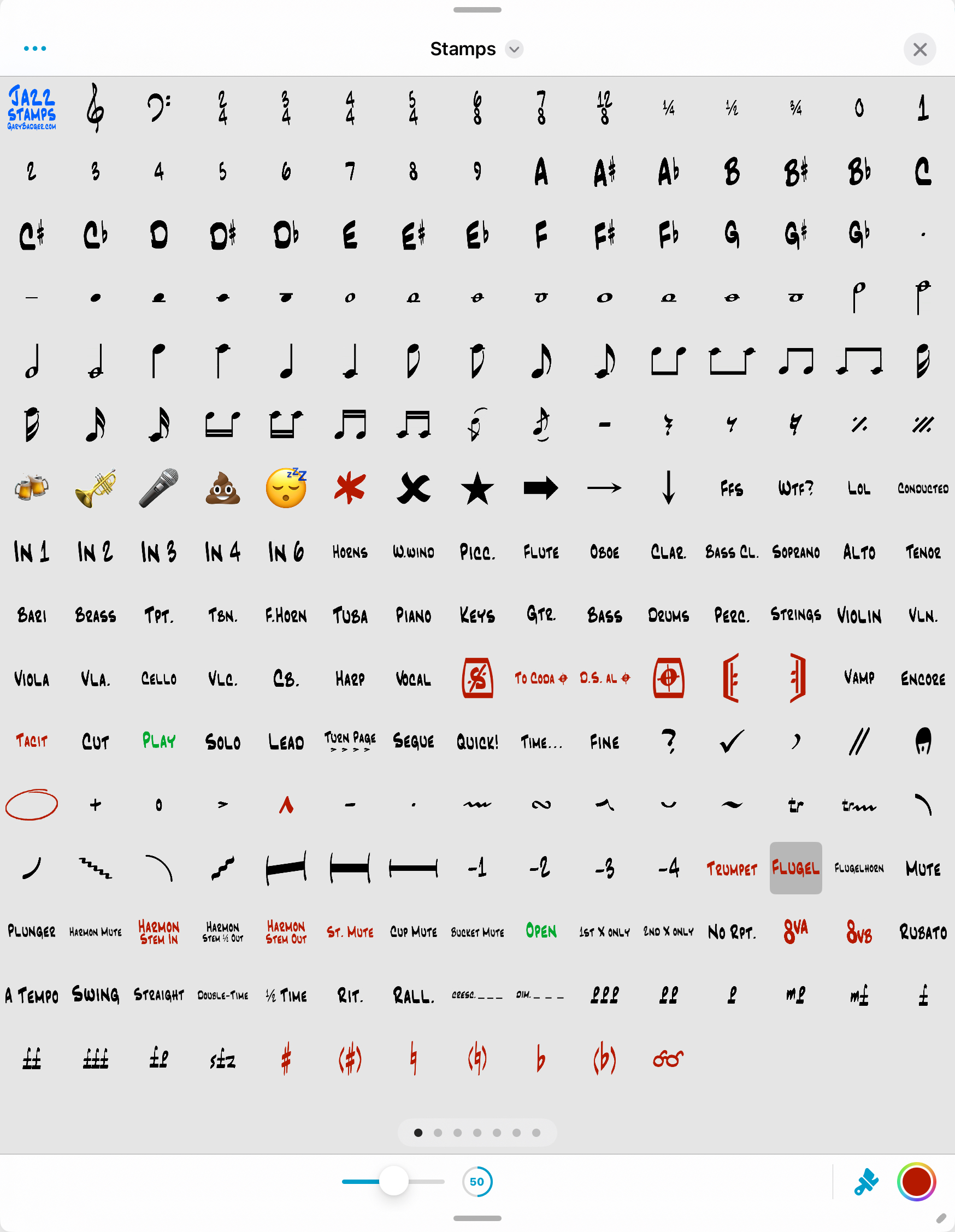
It’s now at the point where I’ve replaced my default stamps in forScore entirely, and I’m ready to share my new Jazz Stamp Mega Pack as the final and comprehensive collection. It covers:
- Articulations, tempos, and style markings
- Accidentals, repeats, and simple notation
- Cues, instrument changes, and mutes
- Page turn warnings, emojis, and more
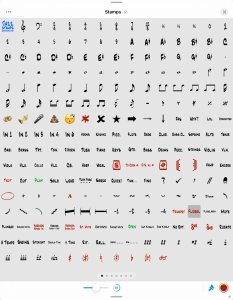
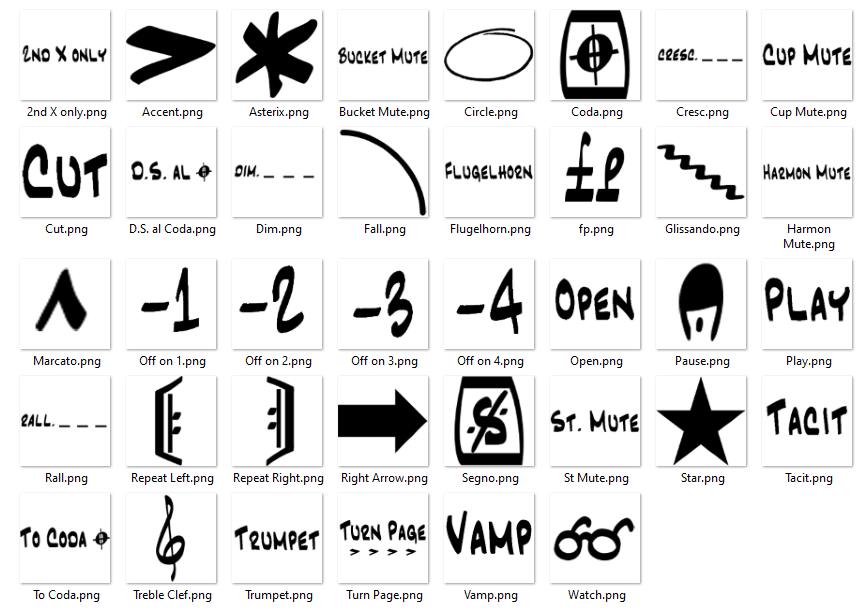
Here’s a preview of the stamps, customized for use on my iPad, with my most frequently used stamps at the bottom for easy access.
Most are practical, some are just for fun, but all are intended to make digital score-marking faster and clearer.
👉 Download the Jazz Stamp Mega Pack here
How to install:
- Download the ZIP file to a PC or Mac (unless you have an iPad app for opening ZIP files).
- Unzip it on your device to create a folder of individual PNG stamp files. Save the folder somewhere you can access from your iPad (for example, Google Drive or a USB connection).
- Open forScore, go to the Annotations menu, and select Stamps (furthest left icon).
- Tap the Ellipsis […] and choose Files from the menu.
- Navigate to the folder of PNGs you saved.
- Select the PNG files you want to import.
- Use your new Jazz Stamps — they’ll now be ready in forScore.
You have the freedom to reorder, resize, and recolor stamps to suit your needs, and the ability to delete any that you don’t want.
For more information about Stamps refer to the forScore User Guide.
Enjoy!



 Gary Badger's Trumpet Transcriptions